In the world of IT, power is everything. You can have the fastest servers and the most expensive switches, but if the electricity blinks for even half a second, your entire operation crashes. Sudden shutdowns are the leading cause of “corrupted data” and “hardware failure.”
A Rack-Mounted UPS is more than just a battery; it is the heartbeat of your rack. It cleans the power coming from the wall and provides the critical minutes you need to save your work or switch to a generator. Here is how to build a power backup strategy that ensures maximum uptime.
1. What is a Rack-Mounted UPS?
A rack-mounted UPS is a battery backup system designed to fit into a standard 19-inch rack. Unlike the “bricks” you see under a home desk, these are high-density units that usually occupy 2U to 3U of space and are heavy enough to require their own reinforced rails.
2. The Three Types of UPS Technology
Not all UPS units protect your gear the same way. There are three main “topologies” you need to know:
-
Standby (Off-line): The most basic type. It stays “asleep” until the power fails, then switches to battery. Not recommended for servers due to the tiny delay in switching.
-
Line-Interactive: This is the standard for small businesses. It features Automatic Voltage Regulation (AVR), which fixes small power dips or surges without using the battery. This saves battery life for actual outages.
-
Online Double Conversion: The gold standard. It constantly converts power from AC to DC and back to AC. Your servers are always running off the “clean” battery power, meaning there is zero transfer time during a failure.
3. How to Calculate the Runtime You Need
A UPS is not meant to run your server for five hours. Its job is to provide enough time for:
-
Ride-through: Covering 10-second power flickers.
-
Orderly Shutdown: Giving your servers 5–10 minutes to close databases and turn off safely.
-
Generator Gap: Providing 1–2 minutes for a backup generator to start up and take the load.
The Math: Add up the total wattage of all your gear. If your rack uses 1000 Watts, buying a 1500VA UPS will typically give you about 5–8 minutes of runtime. If you need more, you must add External Battery Packs (EBP).
4. Smart UPS: The Remote “Graceful Shutdown”
A “Dumb” UPS just lets the battery die, which eventually crashes your server anyway. A Smart UPS connects to your network (via an SNMP card or USB).
-
When the power fails, the UPS sends a signal to your servers: “I have 10% battery left. Start shutting down now!”
-
The servers save their data and turn off gracefully before the power cuts out completely.
5. Placement: The “Bottom of the Rack” Rule
As we discussed in our Safety Guide, a UPS is incredibly heavy because of the lead-acid or lithium-ion batteries inside.
-
Always mount the UPS at the very bottom (1U-3U). * Use heavy-duty rails: Do not rely on “ears” alone to hold a UPS. It will bend your rack rails. Use the supporting shelf or rail kit provided by the manufacturer.
6. Maintenance: The 3-Year Rule
Batteries are chemical devices that decay over time.
-
Test it: Most Smart UPS units have a “Self-Test” button. Run this once a month.
-
Replace it: Standard Lead-Acid batteries usually last 3 to 5 years. If your UPS display shows a “Replace Battery” light, do not ignore it. A dead battery in a UPS is worse than having no UPS at all.
-
Heat Kills: If your rack is too hot (above 25°C), your UPS battery life will be cut in half. Proper cooling is the best way to protect your power backup investment.
7. Redundancy: The “A+B” Strategy
In high-uptime environments, servers have two power supplies (PSUs).
-
PSU A goes into UPS 1.
-
PSU B goes into UPS 2 (or directly into a surge-protected wall outlet).
If one UPS fails or needs a battery change, the server stays online via the second power source.
A rack-mounted UPS is the difference between a minor electrical flicker and a catastrophic data loss event. By choosing a Line-Interactive or Online unit and setting up a Graceful Shutdown script, you turn your server rack into a fortress that can survive almost any power event.
Experience Tip: When calculating your UPS size, always leave 20% “headroom.” If your gear pulls 800W, don’t buy a UPS that maxes out at 800W. Buy one rated for 1000W to ensure the internal components aren’t constantly running at their limit.
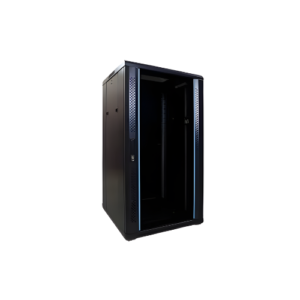
22U Server Rack
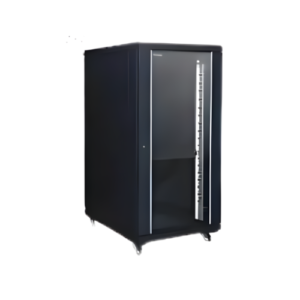
32U Server Rack