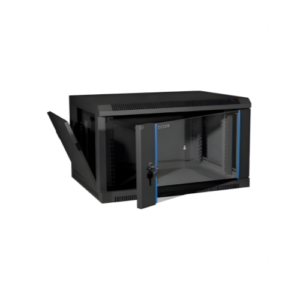
A server rack is essentially a giant air purifier. Because servers use high-speed fans to pull in air for cooling, they also pull in everything else floating in that air: dust, hair, lint, and debris. Over time, this dust settles on motherboards, clogs heat sinks, and slows down fans.
A “dusty” server runs hotter, works harder, and dies sooner. In this guide, we will look at how to prevent dust from entering your rack and how to safely clean it without causing a system crash.
1. The Danger of “Thermal Blanketing”
When dust builds up on internal components, it creates a layer of insulation known as thermal blanketing.
-
Heat Trapping: Dust prevents the metal heat sinks on your CPU from dissipating heat into the air.
-
Fan Failure: Dust accumulates on fan blades, making them heavy and off-balance. Eventually, the fan motor burns out.
-
Static Discharge: In high-humidity environments, dust can become slightly conductive, leading to “micro-shorts” on the motherboard.
2. Prevention: Keep the Dust Out First
The best way to clean a server rack is to never let it get dirty in the first place.
A. Raised Placement
Never sit a server rack directly on a carpeted floor. Carpets are “dust factories.” If you are using a floor-standing rack, ensure it has legs or casters that lift it at least 2–4 inches off the ground.
B. Use an Enclosed Cabinet with Filters
If your rack is in a dusty environment (like a warehouse or an old basement), an Enclosed Cabinet is mandatory.
-
Look for cabinets with IP (Ingress Protection) ratings.
-
Install Washable Dust Filters on the intake fans. These filters catch the debris before it ever touches your servers.
C. Seal the Gaps with Brush Strips
Dust often enters through the large holes meant for cables.
-
Use Brush Strips (also called cable pass-throughs) to seal these openings. The bristles allow cables to move but act as a barrier against dust “ghosts” drifting into the rack.
3. The Professional Cleaning Kit
If your rack is already dusty, you need the right tools. Never use a standard household vacuum or a damp cloth.
-
ESD-Safe Vacuum: Standard vacuums create massive amounts of static electricity that can fry a server. Use a vacuum specifically rated for electronics.
-
Compressed Air (Canned Air): Useful for blowing dust out of tight heat sinks.
-
Microfiber Cloths: Use these dry to wipe down the exterior of the cabinet and the rack rails.
-
Isopropyl Alcohol (99%): For cleaning stubborn grime off fan blades or exterior vents.
4. How to Safely Clean a Live Server Rack
You can’t always turn off your network to clean it. Here is how to do it safely while it’s running:
-
Clean the Floor First: Vacuum the area around the rack so you don’t kick up more dust while working.
-
Wipe the Exterior: Clean the doors and side panels first.
-
Vacuum the Vents: Use your ESD-safe vacuum on the front intake “mesh” of the servers. This is where most of the dust gathers.
-
The “Blow and Catch” Method: If you use compressed air to blow dust out of a server, hold the vacuum nozzle near the exhaust to catch the dust as it flies out. Do not let the dust settle back onto other equipment.
5. Humidity Control (The Dust Partner)
Dust is more dangerous when the air is too dry or too humid.
-
Too Dry (<40%): Static electricity builds up, and dust sticks to components like a magnet.
-
Too Humid (>60%): Dust becomes damp and heavy, turning into a “mud-like” substance that is almost impossible to remove.
-
The Goal: Keep your server room humidity at a steady 45-50%.
6. Establish a Maintenance Schedule
Dust control isn’t a “one-time” job.
-
Quarterly (Every 3 months): Visual inspection of intake vents and floor area.
-
Bi-Annually (Every 6 months): Deep clean of filters and external surfaces.
-
Annually: Internal inspection. Open the server cases (during a scheduled maintenance window) and blow out any internal accumulation.
A clean server rack is a sign of a professional IT operation. By implementing filtration, sealing gaps, and a regular cleaning schedule, you protect your hardware from the silent threat of overheating. Remember: a few minutes of cleaning today can save you thousands of dollars in hardware replacement tomorrow.
Experience Tip: Always check the “Power Supply” (PSU) fans specifically. Because they are often at the back or bottom, they are the most neglected and usually the first part to fail due to dust buildup.
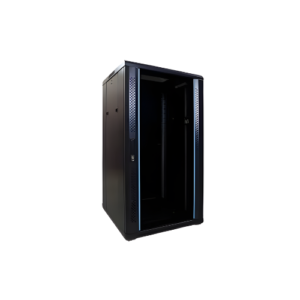
22U Server Rack
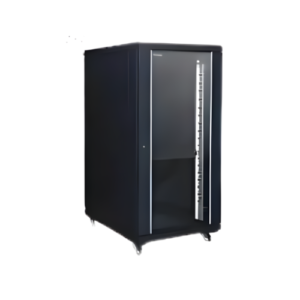
32U Server Rack