If you’ve ever stood next to a running enterprise server, you know they sound less like a computer and more like a jet taking off. This noise is caused by high-RPM (revolutions per minute) fans designed to move massive amounts of air through cramped spaces.
While this “scream” is fine in a remote data center, it is a major problem if your server rack is located in an office, a hallway, or a bedroom. Fortunately, you don’t have to choose between a quiet room and a powerful network. Here are the top strategies for silencing your server rack.
1. Choose an Acoustically Treated “Quiet” Cabinet
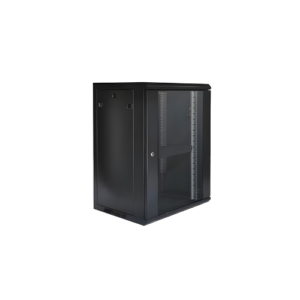
The most effective (though most expensive) solution is to buy a specialized Acoustic Server Rack.
-
Sound-Dampening Foam: These cabinets are lined with heavy-duty acoustic foam that absorbs high-frequency fan noise.
-
Baffled Airflow: The intake and exhaust paths are designed as “mazes.” Air can get through, but sound waves get trapped and absorbed by the foam.
-
The Result: A high-quality quiet cabinet can reduce perceived noise by up to 15 to 30 decibels, turning a loud roar into a soft hum.
2. Swap to Low-Noise “Silent” Fans
If you are building a custom server or a home lab, the stock fans are usually the loudest components.
-
The Solution: Brands like Noctua or Be Quiet! produce fans designed with specialized blade shapes and anti-vibration mounts.
-
Size Matters: Whenever possible, use larger fans. A 120mm fan can move the same amount of air as an 80mm fan but at a much lower RPM, making it significantly quieter.
3. Implement BIOS and Software Fan Control
Many servers are set by default to run their fans at 100% speed as a safety precaution.
-
PWM (Pulse Width Modulation): Modern servers allow you to set “Fan Profiles” in the BIOS.
-
“Acoustic” Mode: Changing the setting from “Performance” to “Acoustic” or “Quiet” tells the server to only spin the fans fast when the temperature actually rises. This keeps the rack silent during low-usage hours.
4. Use “Solid” Blanking Panels
Noise escapes through every open “U” space in your rack.
-
The Fix: Using solid metal or plastic Blanking Panels doesn’t just help with cooling; it acts as a sound barrier. By sealing the front of the rack, you force the sound to exit through the back, away from your ears.
5. Address Mechanical Vibration
Sometimes the noise isn’t the air—it’s the metal. High-speed hard drives and fans create vibrations that can cause the entire rack to “rattle.”
-
Anti-Vibration Pads: Place rubber pads or “isolation feet” under the rack to prevent vibrations from traveling through the floor.
-
Gaskets: Use rubber gaskets or plastic washers between the server ears and the rack rails to dampen metal-on-metal vibration.
6. Strategic Placement (The “Shadow” Method)
If you can’t silence the rack, change its relationship to the room.
-
Corner Loading: Placing a rack in a corner can actually make it louder because the walls reflect sound.
-
Absorptive Surfaces: Placing the rack on a rug or near heavy curtains can help absorb the sound waves rather than reflecting them off hard hardwood floors or concrete walls.
-
Directional Exhaust: Ensure the back of the rack (the loudest part) is facing away from the seating area or towards a sound-absorbent wall.
7. Upgrade to SSDs
Traditional Enterprise HDDs (Hard Disk Drives) spin at 10,000 or 15,000 RPM. A rack filled with 12 of these creates a constant high-pitched “whirring” and “clicking” sound.
-
The SSD Advantage: Solid State Drives have no moving parts and are 100% silent. While more expensive for large-scale storage, they are the single best way to eliminate mechanical drive noise.
Comparison: Noise Levels in Decibels (dB)
| Environment | Noise Level |
| Whisper | 30 dB |
| Standard Office | 50-60 dB |
| Typical Enterprise Server | 70-80 dB |
| Acoustic “Quiet” Rack | 40-50 dB |
A quiet server rack is about balance. You want to reduce noise without “choking” your hardware. By combining an enclosed cabinet, BIOS fan adjustments, and vibration dampening, you can create a high-performance IT environment that is seen but not heard.
Experience Tip: If you are DIY-ing soundproofing, never block the intake or exhaust vents with foam. I have seen many servers melt because the owner focused on “quiet” and forgot about “airflow!”
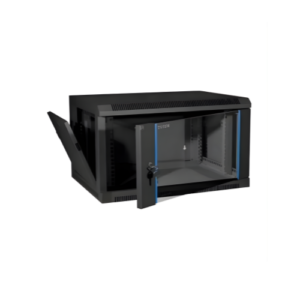
9U Server Rack