A server rack is not a “set it and forget it” piece of equipment. Over time, fans accumulate dust, cables become loose due to vibration, and batteries slowly lose their chemical health. Without a regular maintenance schedule, you are essentially waiting for a failure to happen.
To ensure 99.99% uptime, you should follow a structured maintenance plan. Here is the professional checklist for monthly and yearly server rack care.
Monthly Maintenance (The “Quick Look”)
Monthly tasks are designed to be non-disruptive. You can usually perform these while the servers are running.
-
Visual LED Inspection: Walk around the rack and look for “Amber” or “Red” status lights on servers, hard drives, and power supplies.
-
Intake Vent Cleaning: Wipe down the front mesh of the rack and server faceplates with a dry microfiber cloth to remove surface dust.
-
Temperature Verification: Check your environmental sensors. Is the top of the rack significantly hotter than the bottom? If so, you may need to add blanking panels.
-
UPS Self-Test: Initiate a short self-test on your UPS (via the front panel or software) to ensure the batteries are still capable of holding a load.
-
Cable “Tug” Test: Gently check that power and data cables are fully seated. Vibration from high-speed fans can occasionally cause a plug to “creep” out of its socket.
Quarterly Maintenance (The “Deep Dive”)
Every three months, you should spend a bit more time on the infrastructure.
-
Filter Check: If your cabinet has dust filters on the fans or doors, remove them and wash or replace them.
-
Review Audit Logs: Check your KVM and electronic lock logs. Look for unauthorized access attempts or unusual login times.
-
Firmware Review: Check for critical security patches for your “Management” hardware (iDRAC, iLO, or PDU). Note: Only update if there is a security patch or a fix for a bug you are experiencing.
-
Organize “Spaghetti”: If you’ve added new gear recently, ensure the new cables are labeled and Velcro-tied. Don’t let a temporary cable become a permanent mess.
Yearly Maintenance (The “Full Audit”)
Annual maintenance often requires a Scheduled Maintenance Window (downtime). This is when you perform tasks that might involve turning gear off.
-
Internal Dusting: Power down servers one by one and use an ESD-safe vacuum or compressed air to blow dust out of the internal heat sinks and power supplies.
-
UPS Battery Replacement Check: If your UPS is more than 3 years old, perform a “Runtime Calibration” test. If the battery lasts significantly less time than it did last year, order replacement batteries now.
-
Cable Integrity Inspection: Check for “kinks” or sharp bends in fiber optic cables. Inspect power cords for any signs of heat damage or discoloration.
-
Grounding Continuity: Use a multimeter to ensure the rack is still properly grounded to the building’s earth. Loose grounding bolts are a common safety hazard.
-
Inventory Update: Audit every piece of hardware in the rack. Note down serial numbers, warranty expiration dates, and current firmware versions.
Maintenance Best Practices
| Tool / Method | Why it matters |
| Maintenance Log | Keep a clipboard or digital sheet on the rack door. If it isn’t signed, it wasn’t done. |
| Two-Person Rule | For yearly deep cleans, have a second person present for safety and to double-check cable reconnections. |
| Photo Documentation | Take a photo of the back of the rack before you unplug anything. It is your “Map” for putting it back together. |
The “Post-Maintenance” Check
The most dangerous time for a server is immediately after maintenance. Before you leave the room:
-
Check the “Ears”: Ensure all servers are bolted back in.
-
Verify Connectivity: Can you ping every server from outside the room?
-
Check the Doors: Ensure the locks are engaged and the keys are back in their secure location.
Preventative maintenance is the secret to a long-lasting IT infrastructure. By spending 15 minutes a month and one afternoon a year on your server rack, you can prevent 90% of common hardware failures. A clean, organized, and well-documented rack is a reliable rack.
Experience Tip: Never perform a “Yearly” deep clean on a Friday afternoon. If something goes wrong during the restart, you’ll be stuck in the server room all weekend! Always schedule deep maintenance for Tuesday or Wednesday morning.
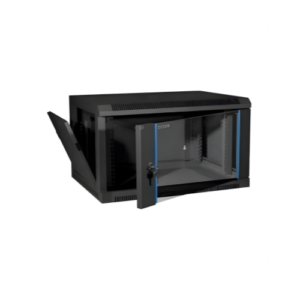
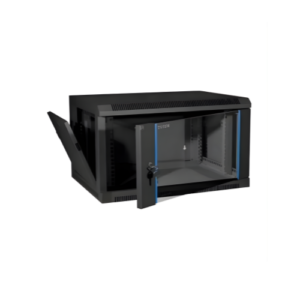
6U Server Rack