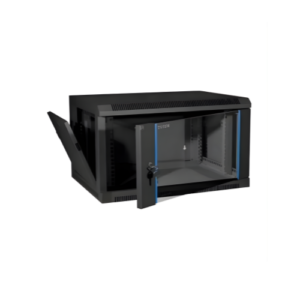
When shopping for IT infrastructure, you will see two terms used interchangeably: “Server Rack” and “Network Rack.” However, in the industry, these are two very different tools designed for two very different types of hardware.
If you buy the wrong one, you might find that your $5,000 server is physically too long to fit inside, or your network cables are a tangled mess because there’s no room for them to move. Here is the breakdown of the key differences you must know.
The Core Difference: Depth
The single most important difference between these two is the Depth (the distance from the front door to the back door).
-
Network Racks: These are “shallow.” Since networking switches and patch panels are usually only 10–18 inches deep, a network rack typically has a depth of 24 to 30 inches (600mm to 800mm).
-
Server Racks: Modern enterprise servers (Dell, HP, Lenovo) are very long to accommodate multiple CPUs and hard drives. A server rack is “deep,” typically ranging from 36 to 48 inches (900mm to 1200mm).
The Rule of Thumb: A server will fit in a server rack, but a server will almost never fit in a network rack.
Airflow Management
Servers and network switches “breathe” differently, and the racks are designed to reflect that.
-
Server Racks: Most servers pull cold air in through the front and exhaust hot air out the back. Therefore, server racks are designed with perforated (mesh) front and back doors to allow a massive volume of air to pass through.
-
Network Racks: Some networking gear (like older Cisco switches) pulls air in from the side and exhausts it out the other side. Network racks sometimes feature side-venting or glass front doors because switches don’t generate as much concentrated heat as a 1000W server.
Weight Capacity and Construction
-
Server Racks: These are built like tanks. They often feature a 4-post design with heavy-gauge steel to support thousands of pounds of servers, UPS batteries, and storage arrays.
-
Network Racks: These are often lighter and can sometimes be 2-post (Telco style). Since switches and patch panels are relatively light, the rack doesn’t need the same structural reinforcement as a server cabinet.
Vertical and Horizontal Cable Space
-
Network Racks: These prioritize Cable Management. Because a 48-port switch has 48 cables coming out of the front, network racks are often wider (30 inches wide instead of the standard 24) to provide “vertical channels” on the sides for cable bundles.
-
Server Racks: These prioritize Equipment Mounting. The focus is on depth and rail strength. While they have cable management, it is usually focused at the back of the rack where the server power and data ports are located.
Summary Comparison Table
| Feature | Network Rack | Server Rack |
| Typical Depth | 24″ – 30″ (Shallow) | 36″ – 48″ (Deep) |
| Primary Gear | Switches, Patch Panels, Routers | Servers, UPS, Storage Arrays |
| Airflow Path | Front-to-Back or Side-to-Side | Front-to-Back (Heavy volume) |
| Door Type | Often Glass or Perforated | Almost always Perforated (Mesh) |
| Width | Often extra wide for cables | Usually standard 24″ |
Which One Should You Buy?
-
Buy a Network Rack if: You are only mounting a few switches, a modem, and a small patch panel for an office. You want a compact footprint that doesn’t take up much space.
-
Buy a Server Rack if: You plan on mounting any rack-mount server (1U, 2U, or 4U). Even if you only have one server now, the extra depth of a server rack is necessary to house the rails and the cable management arm.
Think of a network rack as a “closet” for your connections and a server rack as a “warehouse” for your processing power. If you are building a professional IT setup, it is almost always better to buy a Server Rack, as it can hold networking gear perfectly fine, but a network rack cannot hold servers.
Experience Tip: Before buying, always check the “Max Mounting Depth.” This is the actual distance between the front and rear rails. Just because a rack is 30 inches deep on the outside doesn’t mean it has 30 inches of usable space on the inside!
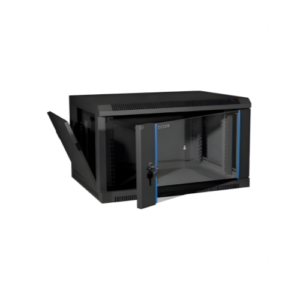
4U Server Rack
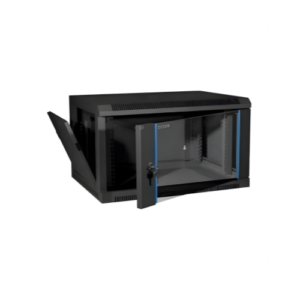
6U Server Rack